
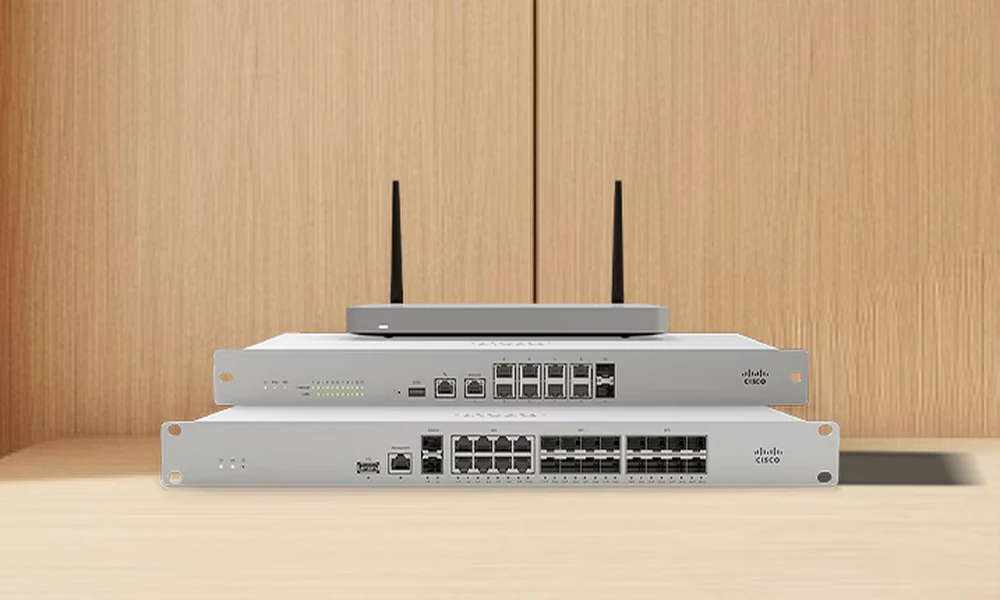

Choosing a Cisco Meraki MX appliance involves more than matching a firewall to the number of employees in your office. Internet speed, connected devices, VPN traffic, security features, branch locations, and expected growth can all affect which model makes sense.
At Link US Online, we help businesses source Meraki networking hardware based on what their network actually requires. Selecting the right MX from the beginning can help avoid paying for capacity you do not need-or discovering that an undersized appliance struggles as your network grows.
What Is a Cisco Meraki MX?
Cisco Meraki MX appliances combine network security and SD-WAN capabilities in cloud-managed hardware.
Organizations can manage MX appliances through the Meraki Dashboard alongside other Meraki infrastructure. Cisco currently lists capabilities such as firewall services, Auto VPN, application traffic analysis, WAN management, remote troubleshooting, and automatic firmware updates across the MX platform.
This centralized approach is particularly useful for businesses managing more than one office because IT teams can monitor multiple locations without configuring every appliance exclusively on-site.
Start With the Number of Devices on Your Network
Device count is one useful starting point for choosing an MX, but it should never be the only specification considered.
Cisco’s current sizing guidance recommends different maximum device counts across the MX family. For example, the MX67 and MX68 are positioned for up to 50 devices, while the MX75 is rated for up to 200 and the MX85 for up to 250. Larger models scale considerably further.
A “device” also means more than an employee’s laptop. Your network may include phones, printers, security cameras, access points, point-of-sale terminals, IoT equipment, and other connected hardware.
That is why we recommend looking at the whole environment.
Consider Internet and Security Throughput
A firewall has to process the traffic moving through it.
Cisco’s current MX sizing guide lists different firewall and security performance levels for each model. It also warns that network conditions vary and that performance can change depending on which features are enabled.
For example, intrusion detection and prevention, HTTPS inspection, VPN usage, and other security functions place different demands on an appliance.
A business with a fast internet connection and heavy encrypted traffic could therefore require a larger model than another company with the same number of employees.
We recommend sizing for the workload rather than relying on headcount alone.
Think About VPN and Multi-Site Requirements
Meraki MX appliances can also be useful for organizations connecting branch offices.
Cisco Auto VPN is designed to simplify site-to-site VPN deployment, while SD-WAN capabilities allow organizations to manage WAN connectivity through the Meraki platform.
However, every MX model has different recommended and maximum VPN tunnel capacities. If you operate several branches or expect to add locations, those limits should be part of the purchasing decision.
Planning ahead is usually less disruptive than replacing network hardware shortly after deployment.
Leave Room for Business Growth
Buying the smallest appliance that meets today’s requirements may reduce the initial purchase price, but it can create another upgrade sooner than expected.
We suggest considering where your organization could be in the next few years. Will you add employees? Increase internet bandwidth? Deploy more cameras or wireless devices? Open another office? Increase remote access?
Those changes add load to the network.
The right MX should give you enough capacity for normal growth without paying for enterprise-scale hardware your organization is unlikely to use.
Source the Right Meraki Hardware With Link US Online
Link US Online has been helping organizations procure IT equipment since 2011 from our base in North Carolina’s Research Triangle Park. Our current Meraki catalog includes firewalls, switches, access points, accessories, and other network hardware, with inventory that changes as equipment becomes available.
If you are comparing MX models, tell us about your network size, locations, connectivity requirements, and planned deployment. We can help you identify and source the Meraki hardware that fits your project instead of leaving you to sort through model numbers alone.
A well-sized firewall should support the network you have now while giving you a practical path for what comes next.
This post was written by a professional at Link-Us Online. At Link-Us Online, we understand the power of networking and its potential to improve the efficiency of your business. Our team empowers users to discover and acquire high-quality networking hardware from a diverse range of suppliers. We offer a range of industry-leading solutions from top brands such as Cisco, Meraki, HPE, Juniper, APC, Fortinet, and Ubiquiti. Whether you’re a small business owner seeking reliable equipment for your expanding network or someone in the purchasing department working for universities, real estate management companies, or local governments hunting for specific gear, Link-Us Online is your dedicated ally. Contact us if you are looking to networking equipment near me!
